Checklist · 17 min read · November 10, 2026
Online store relaunch: a checklist in four phases
What to back up before an online store relaunch, check during the build, test on launch day and measure in the weeks after. Every item comes with the reason it matters.
Contents
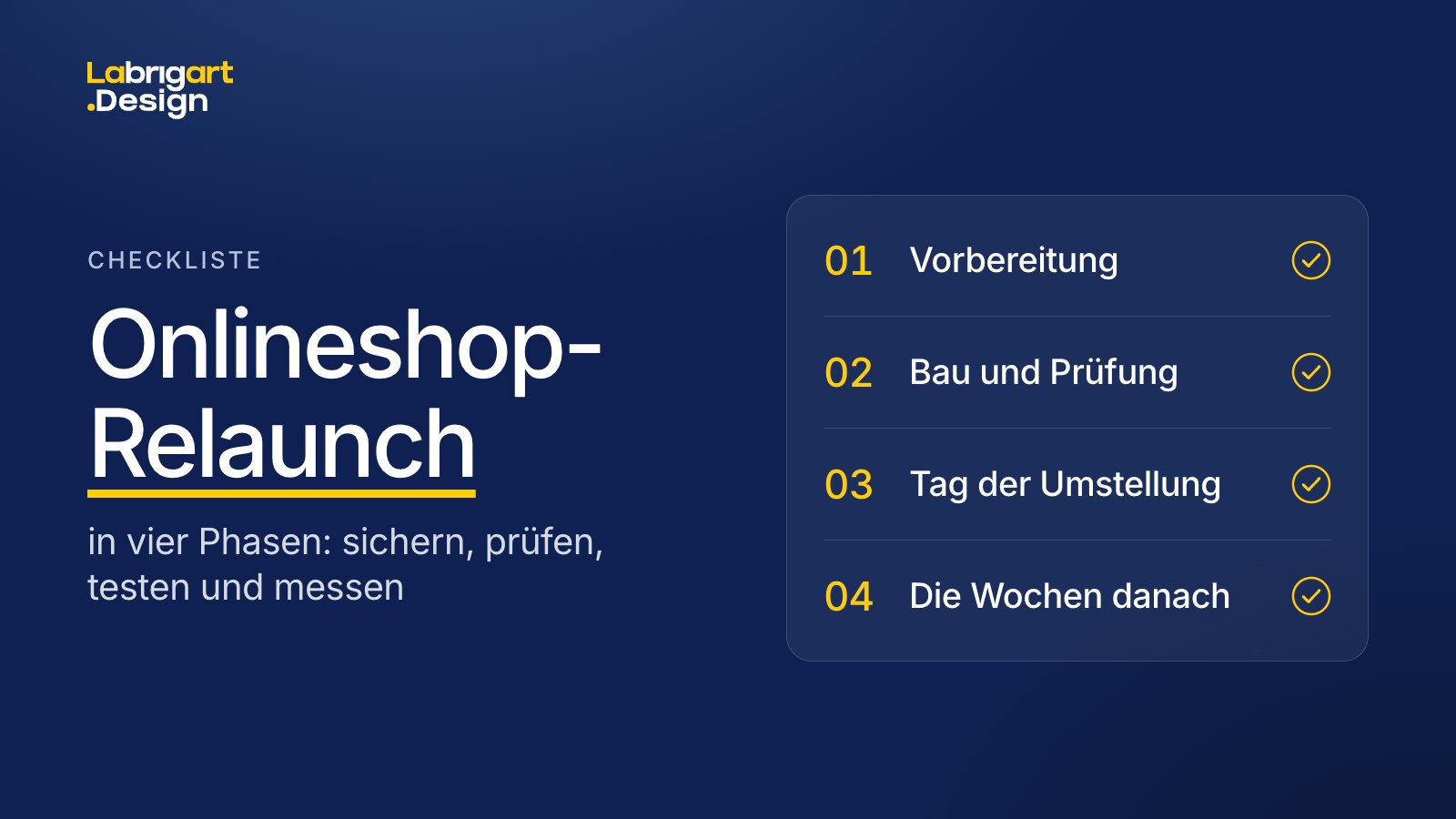
This checklist takes you through the four phases of an online store relaunch: preparation, build and testing, launch day and the weeks after. It works for a new look on the same platform as well as for a switch of store platform.
It is written for online stores that already sell. On top of the usual points of a website relaunch, it covers product data, customer accounts, orders and integrations.
If you are moving to Shopify, our store migration checklist adds the points specific to the move, and the store migration guide walks through the whole process.
As of November 10, 2026. Thresholds and rules from Google and Shopify come from their documentation, error patterns and experience from our projects.
What to keep in mind for an online store relaunch
- Back up first: the URLs of the old store, 12 months of Google Search Console data (Google's report on your search results) and metrics for each step of the purchase.
- Give every old URL a target: a permanent redirect, with each target checked individually.
- Bring your customers along: regular customers learn before launch how to get into their account.
- At launch, check tracking first and compare real orders against your ad accounts.
- Measure fairly: against the same calendar weeks of the previous year, with conclusions two weeks after launch at the earliest.
Relaunch, redesign, platform switch: the terms
The terms are often mixed up. This checklist uses them as follows:
| Type of rebuild | What changes | What you also check |
|---|---|---|
| Theme update | The same theme, meaning the same design template, in a newer version | Your own customizations in the old theme, which can get lost in the update |
| Redesign | Design and user flow of individual pages or the whole store, often with a new theme. Store platform and URLs usually stay the same. | Copy that ranks today, tracking, app embeds, structured data |
| Relaunch | The store as a whole: design, often structure and technology too, sometimes the store platform | Also redirects, as soon as URLs change |
| Relaunch with a platform switch (migration) | A different store platform and new URLs | Also data migration, customer accounts and integrations |
| Domain change | The domain of the entire store | Also the change of address in Google Search Console |
For your planning, one question matters most: will URLs change? If yes, you need the section on SEO and redirects. If not, you still need to check copy, tracking and structured data. How we approach a relaunch is described on our page on store redesign and online store relaunch.
On Shopify, app embeds, the building blocks that let apps run in your theme, are switched off in a newly added theme. You switch them on in the theme itself, before publishing.
When is a relaunch worth it?
A relaunch is worth it when the store as a whole no longer fits your brand and product range. Typical triggers:
- Your product range has grown, and menu and filters no longer lead to the product in a few steps.
- Your store is hard to use on a phone.
- Every small change needs a developer.
- A platform switch is due anyway.
If most buyers drop off at one particular spot, for example in the cart, a targeted change may be enough. A relaunch also changes the pages that sell well today and can lower your revenue. A store audit measures where your store loses buyers, before you decide on a rebuild.
Preparation
The first phase is where the decisions are made. It is also where you back up what cannot be recovered after launch.
Decide and set the scope
- Clarify whether URLs will change. A new store platform, a new URL structure or a new domain: this decides whether you need the section on SEO and redirects.
- Put the scope in writing: what comes along, what is built new and what is deliberately dropped, from products and customer accounts to reviews, discount codes and gift cards, legal texts, languages and markets. That way nobody has to guess during the build.
- Assign responsibilities: who reconnects your ERP, feeds, ad accounts, domain and email sending? Anything nobody owns fails silently at launch.
- Check access: store admin, domain provider, Search Console, Merchant Center, ad accounts, analytics. You will need all of them at launch at the latest.
- Schedule the launch outside your strongest weeks. Some errors only show up afterwards, and Google needs weeks to reassess your store.
- Keep other major changes out of the same weeks, for example a product range cleanup. Otherwise you cannot separate the effect of one from the other.
Back up the current state
A crawl uses a tool to fetch every linked URL of a store. Search Console and the sitemap add whatever is not linked anywhere.
- Crawl the old store completely: every URL with status code, page title, main heading, description and canonical, the tag that tells Google which URL counts. After the switch, the old state is no longer publicly reachable.
- Back up 12 months of Search Console data, pages and queries with clicks, impressions and position, through the Search Console API. The export in the interface returns at most 1,000 rows per report. This is what you measure search performance against after launch.
- Save screenshots of your most important category pages, with all products on them. That way you can later show what was on each page.
- Record metrics for each step of the purchase, split by mobile and desktop, with verified tracking. Without a baseline, you cannot tell after launch whether the new store sells better.
- Keep a raw export of your orders. Without the permission for all orders, the Shopify API only returns orders created in the last 60 days, and for imported orders that date is the import date. Before-and-after analyses then lose their history.
- Record your structured data, meaning the machine-readable product information such as price, GTIN, availability and reviews, in both formats: JSON-LD and Microdata. Older stores often use Microdata, and if you only check JSON-LD, you will miss it.
- List every script on the order confirmation page, for example review services and ad pixels. If a service drops out, there is no error message. New reviews simply stop coming in.
- Note the DNS records of your domain, meaning the settings at your domain provider, above all the verifications for Google, Meta and your email service. You will need them again during the switch.
- Document your ad accounts: which conversion actions, meaning the counted purchases and goals, feed into bidding, and for Shopping ads also the product IDs and campaign filters. If an ID changes, the campaign starts from zero for that product.
Build and testing
In the second phase, the new store is built in a protected environment while your current store keeps selling. The phase ends with a test log showing the result for each item, and with your sign-off for launch.
Design and content
- Keep what demonstrably sells. The values from the preparation show which pages and elements carry your revenue today.
- Before writing new copy, check what the page ranks for today. Even copy that looks outdated can bring in visitors.
- Take stock of features: what can the old store do that the new theme cannot do yet? Gaps like these often only show up at final review.
- Design for mobile first and define the special cases for every page: empty, sold out, error, very long title, many variants. That way it is clear before the build how each page looks in these cases.
- Review apps by function: can the new platform do this on its own? Many apps load code in the storefront, often on every page.
Setup and data
- Build the new look in a protected environment, invisible to visitors and search engines. On Shopify, a relaunch within the same store happens in a staging copy of the theme, and a new store stays in private mode. A build that anyone can reach can create duplicate content.
- For a platform switch, migrate data in a fixed order: products, customers, orders. Otherwise the links between them go missing.
- Match products by EAN, GTIN or SKU and import these numbers as text. Names often change during import, and spreadsheet programs cut off leading zeros.
- Check the status of every product after import. A product stuck as a draft can neither be bought nor found.
- Migrate customer accounts and tell customers before launch how to get into their account. With current Shopify customer accounts, they log in with their email address and a six-digit code, with no password. Without this information, requests pile up in customer service, and regular customers give up.
- Migrate newsletter consents only with proof. Addresses without proof stay out.
- For multilingual stores, count the translations in the new theme. On Shopify, translations of individual sections are tied to the theme, and a newly created theme starts without them.
SEO and redirects, if URLs change
A redirect sends visitors and Google from the old URL to the new one. Google recommends permanent redirects (301 or 308) and advises keeping them in place for at least one year as a rule.
- Build an index of all old URLs from the crawl, Search Console and sitemap. Include the unusual ones: brand pages, help pages, blog, sizes with their own URL. These are exactly the ones that get overlooked, and they often rank well.
- Choose targets in this order: product to product, merged variants to the new product, and only if an item is discontinued, the closest matching category. Search Console shows which URLs bring the most visitors from Google search, and those come first.
- Do not send old URLs to the home page in bulk. If many old URLs lead there, Google can treat this as a soft 404, the same as a missing page.
- Check every target individually: published, reachable without a chain of several hops and returning status 200, meaning the page loads. Measure coverage as the share of old URLs with a verified target.
- Point internal links directly to the new URLs, in copy, menus and footer. Links to old URLs create chains or lead nowhere.
- On Shopify, redirects only work from URLs that return a 404, meaning no page exists there anymore. The collection paths /products and /collections themselves and collection URLs with tag filters cannot be redirected.
Test like a customer
Before sign-off, run through the new store once, the way a customer would.
- Place a real test order with every payment method, and check every email to customers: order, shipping, account.
- Click through on real phones: every important page type, search, filters and variant switching. Google evaluates the mobile version.
- Measure load time and responsiveness on mobile and desktop separately. Google rates these values as good. LCP (Largest Contentful Paint, how fast the largest content loads): up to 2.5 seconds. INP (Interaction to Next Paint, how fast the page responds to input): up to 200 milliseconds. CLS (Cumulative Layout Shift, how much the layout jumps): up to 0.1. Google measures real page loads, and three out of four have to reach the value. Before launch, a measurement in the test setup gives you a first indication.
- Check legal texts and mandatory information: legal notice, terms, cancellation policy, the withdrawal button and the unit price on every product page that needs one. If the withdrawal button runs on custom code in the theme or through an app, it has to be set up again in the new theme.
Technology and search before launch
No customer sees these points. They decide whether measurement, email sending and rankings keep working after the switch.
- Prove that tracking works all the way to the purchase and check that it only starts after consent in the consent banner. Include Google Analytics (GA4) and ad pixels exactly once, otherwise they count every page view twice.
- Let only the purchase count for bidding, and count it once. Add-to-cart and checkout start are tracked for observation only. Otherwise purchases are counted twice, or bidding optimizes for carts.
- Switch on app embeds in the new theme: tracking, consent banner, email tool, reviews. Check each one in the theme before publishing.
- Compare page titles, descriptions, main headings and structured data of your most important pages with the crawl from the preparation, and also run the structured data through Google's Rich Results Test. Terms a page ranks for today belong in the new version too.
- Keep page 2 onward of a category in the index, each with its own canonical and with clickable links to the next page. Google finds the products on them through these links, and blocking the pages makes that harder.
- Switch the Search Console and Meta verifications to DNS, and check the website claim in Merchant Center. If a verification sits on the old store as a file or meta tag, it fails during the switch, often unnoticed.
- Set up SPF, DKIM and DMARC before you email customers. With these DNS records, your domain proves that an email comes from you. Gmail requires SPF or DKIM from all senders, and anyone sending more than 5,000 messages a day to Gmail addresses needs all three.
- Connect the domain and leave its registration unchanged. If registrar, name servers or owner details change, the public record of a .de domain then shows a new change date, and some automated trust checks treat an old domain like a newly registered one.
- Record known gaps in writing and decide for each one whether it can wait until after launch. That way everyone on your team knows later what was left open on purpose.
- Schedule the switch for a quiet hour, outside promotions and never on a Friday. The store may be briefly unreachable during the switch.
Launch day
In the third phase, order matters. Go through these points from top to bottom in the first hours after the switch.
- First check that the app embeds are running: tracking, consent banner, email tool, reviews. Without tracking, every measurement afterwards is worthless.
- Lift the restrictions from the build phase: robots.txt, noindex and password, everything that kept Google away from the build. A forgotten restriction makes the new store invisible to Google.
- Compare real orders against the purchases in your ad accounts, on launch day and the three days after, and count only real purchases. Imported old orders would otherwise distort every comparison.
- Keep campaigns running and set up a fallback measurement right away if tracking fails. If the counted conversion changes in the process, Google Ads bidding goes through a new learning phase.
- Submit the sitemap and set up Search Console for the whole domain, including www and subdomains. A property for a single URL variant does not see the subdomains.
- Spot-check each URL pattern: the old URL redirects with a 301, and the target responds with a 200.
- Submit the product feed only now, once the domain is live and the protection is lifted. Before that, Google and Meta reject the products as unreachable.
- If the domain or subdomain is new, report the change of address in Search Console. New paths on the same domain do not need this.
The weeks after launch
In the fourth phase, you measure what the relaunch has changed. Google itself expects temporary ranking fluctuations when a site moves. For small to medium-sized websites, Google says it takes a few weeks for most pages to move, and longer for large sites.
- Review Search Console every week after launch. Draw conclusions two weeks after launch at the earliest: Google fetches the old URLs gradually, and in our projects a drop often only came a few days after launch.
- If traffic drops, read position and impressions separately. If the position falls, Google rates the new pages lower. If it holds and impressions are missing, the cause is the season or URLs missing from the index. The comparison with the previous year and the indexing report in Search Console show which one applies.
- Compare click-through rate and revenue per click. If the click-through rate holds and revenue per click falls, this points to a cause in the store, for example in checkout or in tracking.
- Compare against the same calendar weeks of the previous year and analyze old and new URLs separately. That way both periods contain the same season, and you see how many visitors the new URLs took over from the old ones.
- Read rates such as the conversion rate with care. If the old store loaded tracking with a delay, it never counted short visits. After the relaunch, sessions go up and the conversion rate seems to fall. Absolute orders and the previous year are more reliable.
- Check redirect targets weekly for the first four weeks. If a target product is deactivated, the redirect ends on a 404 without warning. It is therefore better to keep sold-out products active.
- Then test individual pages in an A/B test once your order volume is high enough. This shows which change actually sells more.
What timeline and cost depend on
The timeline and cost of a relaunch depend on its scope. These points determine it:
- the number of page types that get a new design
- the size of the product range
- the store platform and whether you switch it
- the number of old URLs that need a target
- the connected systems, from the ERP to the apps
- languages and markets
- how quickly designs are approved
You get a binding price from us once the scope is set, and the schedule along with it. Before that, either would be a guess. How an online store relaunch with Labrigart works is described on our services page. If a switch to Shopify is also coming up, our page on Shopify Plus migration describes how we move data, URLs and integrations.
Common questions about an online store relaunch
What is an online store relaunch?
An online store relaunch is the new look of an existing store: new design, often a new structure and technology, sometimes a new store platform. If page URLs change in the process, every old URL needs a redirect.
How often should you relaunch an online store?
An online store needs a relaunch whenever there is a reason: a product range that menu and filters can no longer hold, a store that is hard to use on a phone, or a store platform that can no longer keep up.
When is the best time for a relaunch?
The best time for a relaunch is outside your strongest weeks and well away from major promotions. That leaves time to fix errors that only show up after launch. Schedule the switch itself for an hour with few visitors.
Can you relaunch step by step?
Yes, a relaunch can be done step by step. Especially with a large product range, some stores renew one page type after another, in order of priority. Then you can measure the effect of each change on its own.
Do I need an agency for a relaunch?
An online store relaunch takes design, implementation on the store platform, data migration, redirects and tracking. If your team covers all of this, you can do it without an agency. If something is missing, talk to us in the intro call about which parts we can take on.
- SEO
- Shopify